
Buy Low Price From Here Now
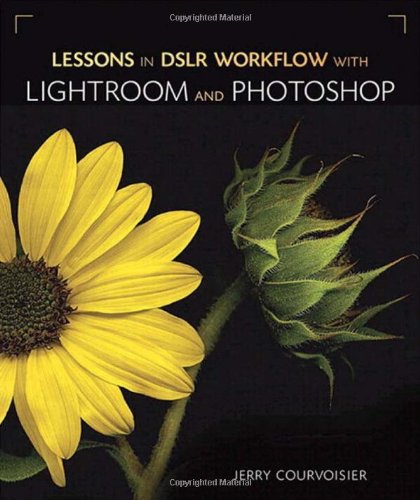
You’ve captured great images with your DSLR, now what? Jerry Courvoisier provides an easy-to-follow road map for importing, organizing, and editing your images using the best features of Adobe Photoshop Lightroom 2 and Adobe Photoshop CS3. The combined power of using both programs—automation with Lightroom and specialized processing in Photoshop—offers a complete and flexible solution for serious hobbyists and pro photographers alike. In this accessible and beautifully illustrated guide, learn about:
- The essential DSLR gear, with suggested computer and laptop configurations, digital darkroom and color management setups, and best capture formats for your style of shooting.
- General preferences and display options to customize and enhance your workflow.
- The Lightroom 2 modules to effectively organize, process, and catalog your images.
- Integration with Photoshop CS3, including making panoramas and high dynamic range (HDR) images.
- Advanced Photoshop CS3 techniques to create stunning results: converting images to black and white, painting with light, selective focus, diffusion effects, layer masking, and special blending modes.
“Jerry Courvoisier is, plain and simple, one of the best teachers of digital workflow and image management working today. He demystifies the digital world for both the beginner and the advanced user. For anyone shooting digital pictures, this book simply has to be on your shelf.”
—Joe McNally, photographer and author of The Moment It Clicks
Readmore
Technical Details
- ISBN13: 9780321554239- Condition: NEW
- Notes: Brand New from Publisher. No Remainder Mark.
- Click here to view our Condition Guide and Shipping Prices
See more technical details

By Midwest Book Review (Oregon, WI USA)
Once you've captured that prime image with your camera, use this guide for importing, organizing and editing images using Adobe Photoshop Lightroom and Photoshop. Both programs are featured in this full-faceted coverage of DSLR integration with the programs, from customization options and blends with Photoshop to using advanced techniques to create surprising results. Tips from seasoned photographers lend to a guide highly recommended for either photography or computer libraries.
By Charles C. Dell (Lima, OH USA)
Helpful book, particularly in working with Lightroom workflow. Adobe, author of the Lightroom software, is not particularly helpful in explaining tools of its products, so purchasers of Adobe products must find other instructional resources. This book is an excellent resource in learning "how-to" use Lightroom at its fullest.
By john4jack (Corvallis, OR)
This is a superb book on Lightroom 2. I've read a number of them, and this is the one that I found the most helpful. The author writes very well.
By George DeWolfe
Jerry Courvoisier's Lessons in DSLR Workflow with Lightroom and Photoshop is the state-of-the-art general photography workflow. The thing that impresses me most is that he got it all into such a small space. The workflow is covered by the chapter headings and each tool in the process is explained thoroughly. Only a truly experienced photographer can write such a book because he intentionally leaves out much of Lightroom and Photoshop that many would say makes the book incomplete. However, the secret of the great workflow in this book is its simplicity and ability to do everything that is needed in the shortest amount of time to produce excellent quality. He accomplishes this better than any other book on general photographic workflow than I've read. A beginning digital photographer can read this book and be up and running with all the tools they need quickly and efficiently.
One of the most important aspects of the book shows us the unique transition from Lightroom to Photoshop. While many photographers are using to Lightroom for most of their work, we still need Photoshop for some more advanced broad and local manipulations. Courvoisier shows this transition without complication and fuss and, being the expert that he is on the subject, enables competency in a photographer quickly.
While I might differ with him in some small areas as to my own workflow, I find that he has struck an excellent compromise rather than trying to show everything. Books on tips and tricks and "Bibles" teach us nothing but confusion, and Courvoisier's Lessons in DSLR Workflow with Lightroom and Photoshop leads us way beyond theses types of books to learning what we need to learn about digital photography and its workflow.
My highest marks.
George DeWolfe
By Lydia Goetze
As a workshop teacher, I'm always on the lookout for a good reference for students to use once they've gone back home. This slim and remarkably complete volume fills the bill perfectly both for experienced photographers making the transition to digital work and for those who are stepping up from a point-and-shoot camera and want to control and improve their work from start to finish. As a long-time but not totally converted Lightroom user, this book also led me to explore additional ways LR2 could help me with my own workflow.
The central concept of a workflow, which puts tasks in a particular order is especially useful. This is the way to achieve consistent results in adjusting images. A workflow also serves as a framework for organizing and adding to knowledge and skills, and this way of working is immensely more useful to most photographers than the "1001 tips and tricks - gee whiz, see everything this software can do" approach. Courvoisier has been thoughtfully selective about how to achieve good results in the most straightforward way.
Courvoisier's workflow beings with getting the best image you can when shooting, a point that needs to be emphasized; working digitally doesn't mean the photographer can make a bad image into an fine one, contrary to a common misperception. He covers the camera essentials clearly and efficiently. His description of how to use Lightroom both as an organizing tool and to develop (or adjust) images covers the essentials and tells the readers how to learn more if they really want to (from Martin Evening's book), as well as advising them why they might not need to get mired in the mechanics of more organizing than is useful to them. He describes the local adjustment tools new to LR2 and how to use them (although I personally find them rather clunky, and still prefer Photoshop for these). The one difficulty I have with this section of the book is that the dark background of the LR2 workspace makes it hard to read screen shots. The way to get around this is to use this book while also having LR2 open on the computer or after a computer-based introduction to LR2.
The transition (in the workflow) from LR2 to Photoshop is described clearly, and Courvoisier parsimoniously selects what he considers to be the most useful aspects of Photoshop for photographers to use in further developing (or adjusting) their images. While experienced photographers may prefer a slightly different group of techniques (I personally use the History Brush far more than Layer Masks), the explanations and the rationales for various techniques are clear. The appendices (Resources, and Jerry's favorite keyboard shortcuts) have useful goodies, and the index works well.
This book has an important place in any digital photographer's studio, and it goes along in my (trimmed-down) luggage wherever I teach.
Images Product
Buy Lessons in DSLR Workflow with Lightroom and Photoshop Now

No comments:
Post a Comment